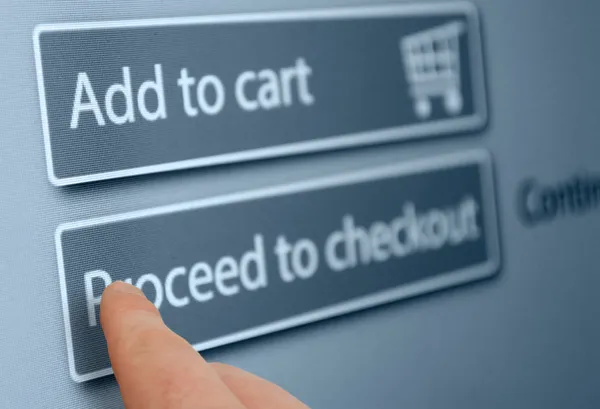
Checkout Page
The checkout page stands as the culminating stage of the e-commerce customer journey, where the virtual shopping experience transforms into a tangible transaction. Its importance cannot be understated, as it is the pivotal point where customers finalise their purchase by providing payment, shipping, and billing information. This page holds the power to either seal the deal or trigger cart abandonment, making its design and functionality crucial. A well-crafted checkout page offers streamlined and user-friendly processes, encompassing features like secure payment options, transparent shipping choices, and an intuitive layout. By minimising complexity, optimising responsiveness, and instilling trust through security assurances, the checkout page creates a seamless bridge between browsing and buying. In essence, this page is the crossroads where customer intent and seller success intersect, shaping the final impression of the shopping journey and playing an integral role in achieving higher conversion rates and customer satisfaction.
The checkout page is a crucial component of the customer journey in e-commerce, and optimising it can significantly improve the overall user experience and increase conversion rates. Both on e-commerce websites and mobile apps, here’s how the checkout page can contribute to a better customer journey:
- Simplicity and Clarity: The checkout process should be simple, straightforward, and easy to understand. Avoid overwhelming customers with too many options or unnecessary steps. Provide clear instructions and labels for each field.
- Minimal Steps: Reduce the number of steps required to complete the checkout process. Each additional step increases the chance of cart abandonment. A one-page or a multi-step but concise checkout process is ideal.
- Guest Checkout Option: Provide an option for customers to check out as guests without creating an account. Some users might be deterred by the idea of creating an account before making a purchase.
- Account Creation: If you do encourage customers to create an account, make sure it’s optional and offers clear benefits like order tracking, faster checkout in the future, and personalised recommendations.
- Responsive Design: Ensure that the checkout page is optimised for mobile devices. Mobile users make up a significant portion of e-commerce traffic, and a mobile-friendly checkout process is crucial for a smooth experience.
- Auto-Fill and Suggestions: Implement features that automatically fill in or suggest addresses, card details, and other relevant information, reducing the effort required from the customer.
- Progress Indicators: Use progress indicators to show customers how many steps are left in the checkout process. This helps manage expectations and prevents users from abandoning the process due to perceived length.
- Visual Hierarchy: Use a clear visual hierarchy to guide users’ attention. Important elements like payment options, shipping information, and order summary should be easily noticeable.
- Security Assurance: Display trust badges, SSL certificates, and security assurances to build confidence in customers, especially when it comes to entering sensitive information like credit card details.
- Multiple Payment Options: Offer a variety of payment options to accommodate different customer preferences. This includes credit/debit cards, digital wallets, and other relevant local payment methods.
- Shipping Options: Provide transparent shipping options with estimated delivery times and costs. Allow customers to choose the most suitable shipping method for their needs.
- Order Summary: Display a clear and detailed order summary, including product names, quantities, prices, and any applicable discounts. This helps customers review their order before making a final decision.
- Error Handling: Provide real-time error feedback for any incorrect information entered by the customer, such as invalid credit card details or incomplete address.
- Mobile Payment Integration: If applicable, integrate with popular mobile payment platforms like Apple Pay or Google Pay to streamline the payment process for mobile users.
- Confirmation and Communication: After a successful purchase, display a confirmation message and send email/SMS notifications with order details and tracking information.
- Post-Purchase Engagement: Use the checkout page as an opportunity to encourage customers to engage further with your brand, such as signing up for newsletters, following on social media, or participating in loyalty programs.
By focusing on these aspects, you can create a checkout experience that not only reduces friction for customers but also increases the likelihood of completing the purchase, ultimately improving the customer journey and driving higher conversion rates. To improve the customer experience, a checkout page must be designed with a range of features that enhance usability, convenience, and trust. Here are some essential features a checkout page should have to achieve this goal:
- Clear Call-to-Action (CTA): Place a prominent and visually appealing “Checkout” button that stands out from the rest of the page, making it easy for users to proceed with their purchase.
- Guest Checkout Option: Allow customers to make a purchase without creating an account. Provide a clear distinction between guest checkout and account creation.
- Account Creation Option: If you encourage account creation, provide an option to create an account during or after checkout, emphasising the benefits such as order tracking and personalised recommendations.
- Progress Indicators: Display a progress bar or steps indicator that shows customers how many steps are left in the checkout process. This helps manage expectations and reduces the feeling of a lengthy process.
- Shipping Information: Offer fields for customers to enter accurate shipping information, including name, address, phone number, and any special delivery instructions.
- Multiple Shipping Options: Provide various shipping options with estimated delivery times and costs, allowing customers to choose the one that best fits their needs.
- Payment Options: Include a variety of payment methods, such as credit/debit cards, digital wallets (like PayPal, Apple Pay, Google Pay), and any relevant local payment options.
- Auto-Fill and Address Suggestions: Implement auto-fill features for address fields to save customers time and reduce errors. Provide address suggestions based on partial input to further streamline the process.
- Secure Checkout Icons: Display recognized security icons, SSL certificates, and badges to assure customers that their personal and payment information is secure.
- Order Summary: Present a clear and detailed order summary, showing each item’s name, quantity, price, and any discounts applied. Include a subtotal, taxes, shipping costs, and the final order total.
- Coupon or Promo Code Box: If you offer discounts, make sure to include a visible area where customers can input coupon or promo codes to apply savings.
- Visual Hierarchy: Use visual cues like bold headings and appropriate font sizes to emphasise important sections, making it easy for customers to understand and navigate the checkout page.
- Mobile Responsiveness: Ensure the checkout page is fully responsive for mobile devices, providing a seamless experience for customers shopping on smartphones and tablets.
- Error Handling and Validation: Implement real-time error handling to notify customers of any incorrect or missing information. Offer clear error messages and suggestions for correction.
- Trust Signals: Display trust signals, such as customer reviews, security badges, and privacy policy links, to instil confidence in customers while sharing their information.
- Contact Information: Include a customer support contact option or link in case customers have questions or encounter issues during the checkout process.
- Confirmation Page: After the order is successfully placed, redirect customers to a confirmation page that includes order details, tracking information, and a summary of their purchase.
- Exit Intent Popup: If a customer tries to leave the checkout page without completing the purchase, consider implementing an exit-intent popup with a special offer or reminder to encourage them to finalise their order.
By incorporating these features into your checkout page, you can create a user-friendly and efficient checkout experience that minimises friction and increases customer satisfaction.
To Summarise, In the intricate tapestry of e-commerce, the checkout page emerges as the decisive thread that weaves together intention and action. Its significance lies in its ability to transform browsing into a tangible transaction, providing the ultimate moment of truth for both customers and businesses. A well-orchestrated checkout page, designed with simplicity, security, and convenience in mind, serves as a bridge between desire and ownership. By offering a seamless, frictionless experience where payment, shipping, and information input converge, this page epitomises the culmination of the customer journey. It stands as a testament to the brand’s commitment to user-centricity, fostering trust, and ensuring a seamless transition from virtual shopping carts to real-world purchases.
 Chhaya's Blog